Give Every Recurring Job Its Own Schedule
See how CleanTracker lets multiple recurring jobs for the same customer each have their own schedule, so cleaning, stair work, and other service tasks can happen at the interval the work actually requires.
Not every job for a customer needs to happen at the same interval.
A recurring service agreement can include several types of work, each with its own rhythm. General cleaning may need to happen every week, while the back stairs only need attention every second week. Another task may be due every fourth week or follow a more specific schedule.
In CleanTracker, those tasks can be created as separate recurring jobs for the same customer. Each job gets its own schedule, and the calendar shows the visits generated from each recurrence.
One customer, multiple schedules
A customer does not need one recurring schedule that controls every piece of work at that location.
Instead, the agreement can be split by the work that actually needs to be done: general cleaning as one job, back-stair cleaning as another job, and periodic service tasks as their own jobs.
That makes the plan more accurate. If the main cleaning happens every week, while the back stairs happen every 2 weeks, they should not be forced into the same rhythm. Each recurring job can follow the interval that matches the service agreement.
CleanTracker then creates the upcoming visits from each job’s schedule.
Schedules that match the real work
In cleaning, facility-service, and similar businesses, different jobs for the same customer often happen at different intervals.
A customer might need:
- regular cleaning every week
- an additional area cleaned every 2 weeks
- a specialist task every 3 or 4 weeks
- monthly work
- a custom schedule when the agreement requires it
The point is not that every agreement needs to be complicated. The point is that recurring work does not always fit one rigid pattern for the whole customer.
When every job has its own schedule, the service plan can reflect reality: what needs to be done, how often it should happen, and when it should become actual visits.
For detailed setup instructions, see the recurring scheduling guide.
When schedules meet in the calendar
When multiple jobs for the same customer fall on the same day, CleanTracker can group the resulting visits in the calendar.
That is a practical benefit of the flexible scheduling model. The calendar does not need to show several visually separate entries for the same customer and location when the work belongs together operationally that day.
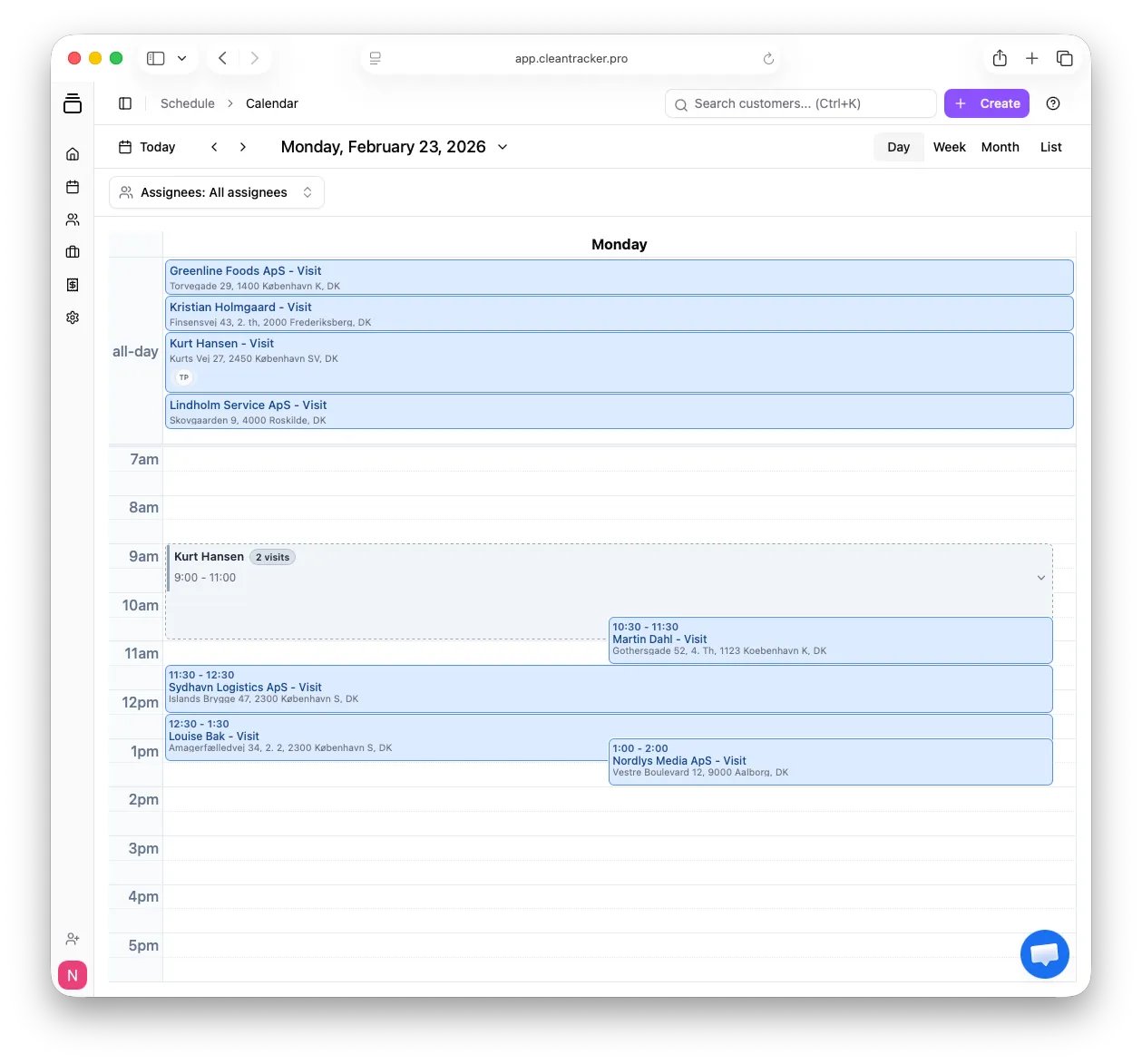
Multiple visits for the same customer can appear together in the calendar when they happen on the same day.
For the employee, the day becomes easier to read. They can see that there is work at that customer location, and that the work consists of multiple related visits.
Grouped, but still separate
Grouping does not merge the underlying jobs.
If the main cleaning and back-stair cleaning both happen Monday at 9, the employee can open the grouped calendar entry and see that it contains 2 visits. If the work is completed together, the grouped visits can be marked as completed in one action.
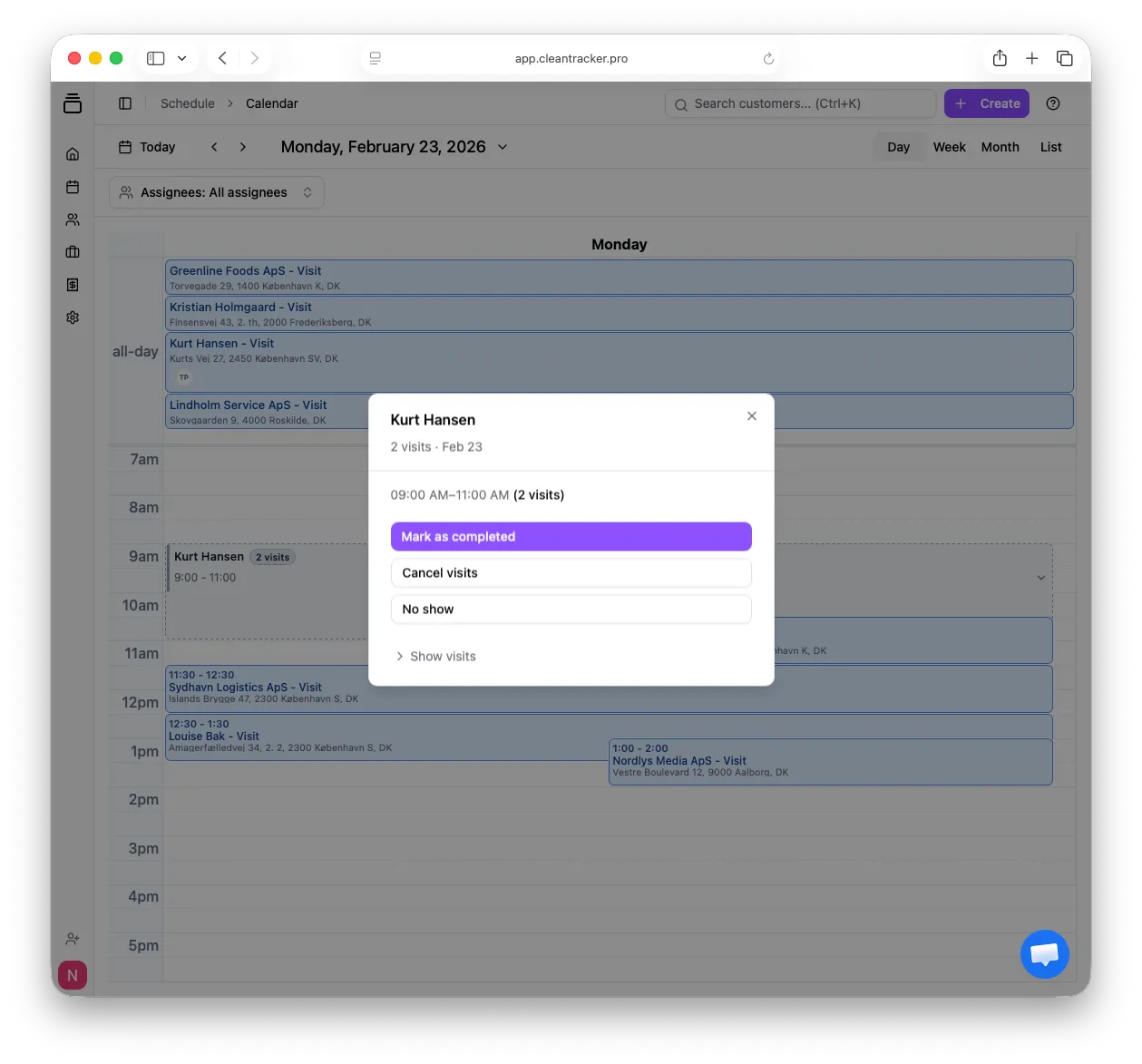
A shared action can be applied to the grouped visits when the work is handled together.
At the same time, the structure underneath the group remains intact. The individual visits can still be shown and handled separately if only one visit needs to be changed, cancelled, or followed up on.
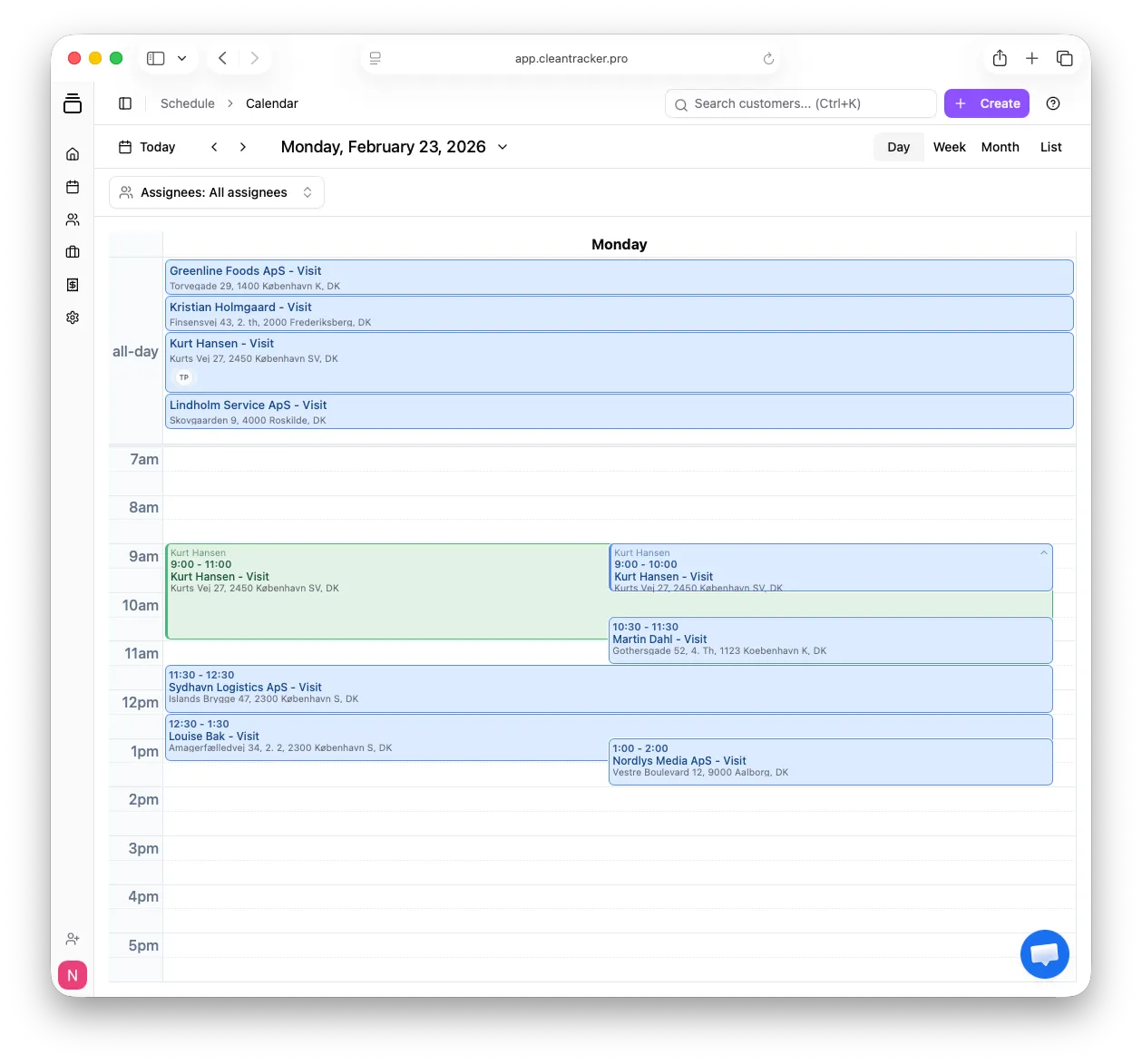
The group keeps the calendar simpler without removing the individual visits.
That balance matters: the calendar becomes easier to work from, while each job keeps its own schedule and status.
From different jobs to a clear workday
The practical workflow is simple:
Different jobs -> independent recurring schedules -> visits generated when needed -> clear calendar -> easier execution.
For the business, this means CleanTracker can follow the way service agreements are actually structured. Not every task for a customer happens every week. Not every task should be pushed into the same recurrence. And when several jobs do meet on the same day, the calendar can show them in a way that makes sense for the employee doing the work.
Try CleanTracker for free
Get started with up to 3 users. There is no time-limited trial and no credit card required.
See pricing or start for free.