

1. Plan and complete the work
Create cleaning jobs with services and prices in CleanTracker. Your team records completed visits in the mobile app.
e-conomic integration
Plan and record your work in CleanTracker. Review what is ready to invoice, then create draft invoices in e-conomic with your customers, services and prices.
No credit card required.
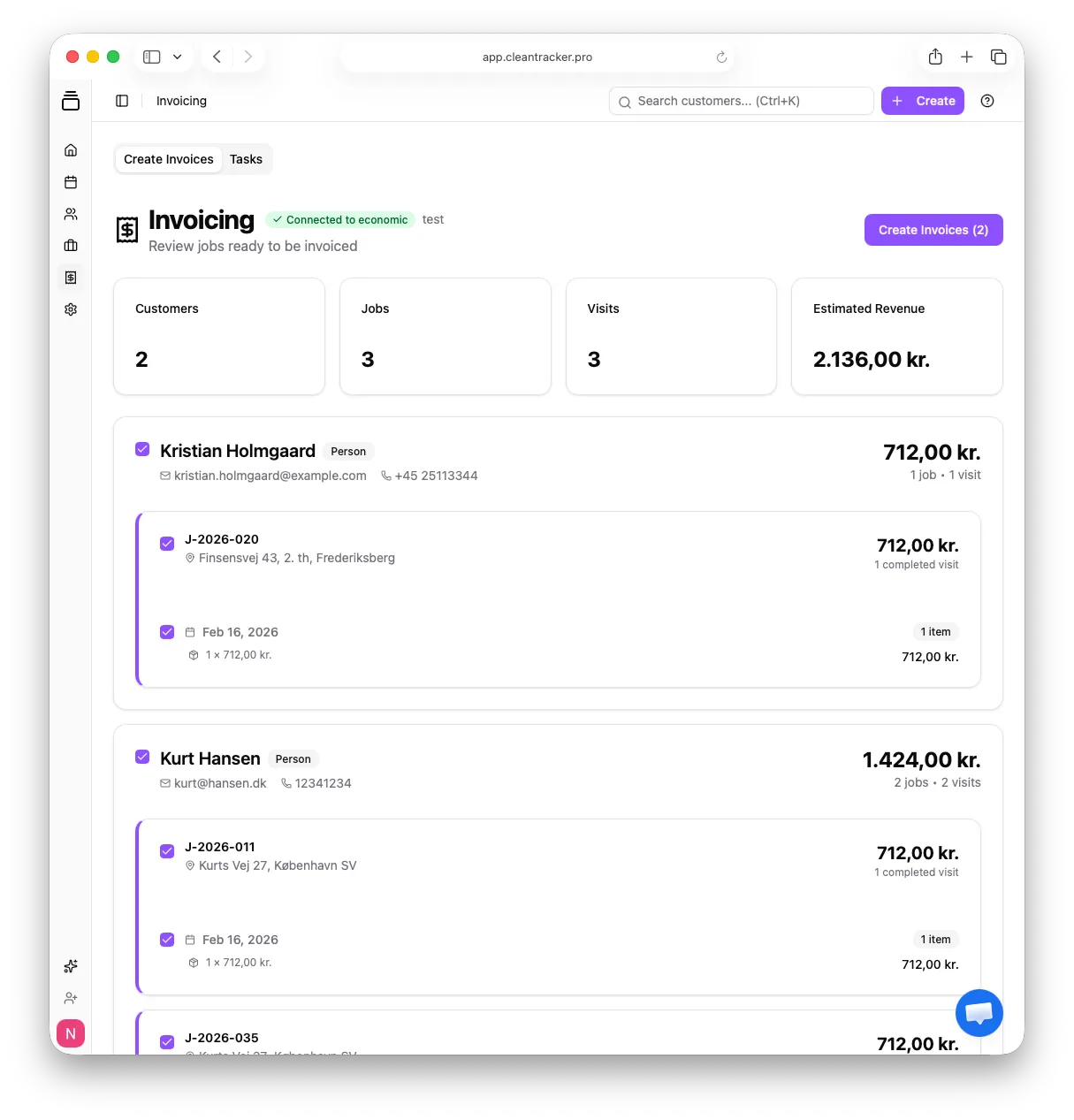
Already using e-conomic? CleanTracker brings cleaning schedules and completed work together and transfers the details for invoicing.
Your customers, services, quantities and prices are already in CleanTracker. Carry those details over to e-conomic without entering them again.
Create cleaning jobs with services and prices in CleanTracker. Your team records completed visits in the mobile app.
Open Invoicing in CleanTracker. Review customers, visits and amounts, then select the work you want to invoice.
Click Create Invoices. CleanTracker transfers customer details and invoice lines and initially creates a draft invoice in e-conomic.
If automatic booking is selected in your organisation’s invoicing settings in CleanTracker, the draft is then booked automatically. Otherwise, it remains a draft in e-conomic.
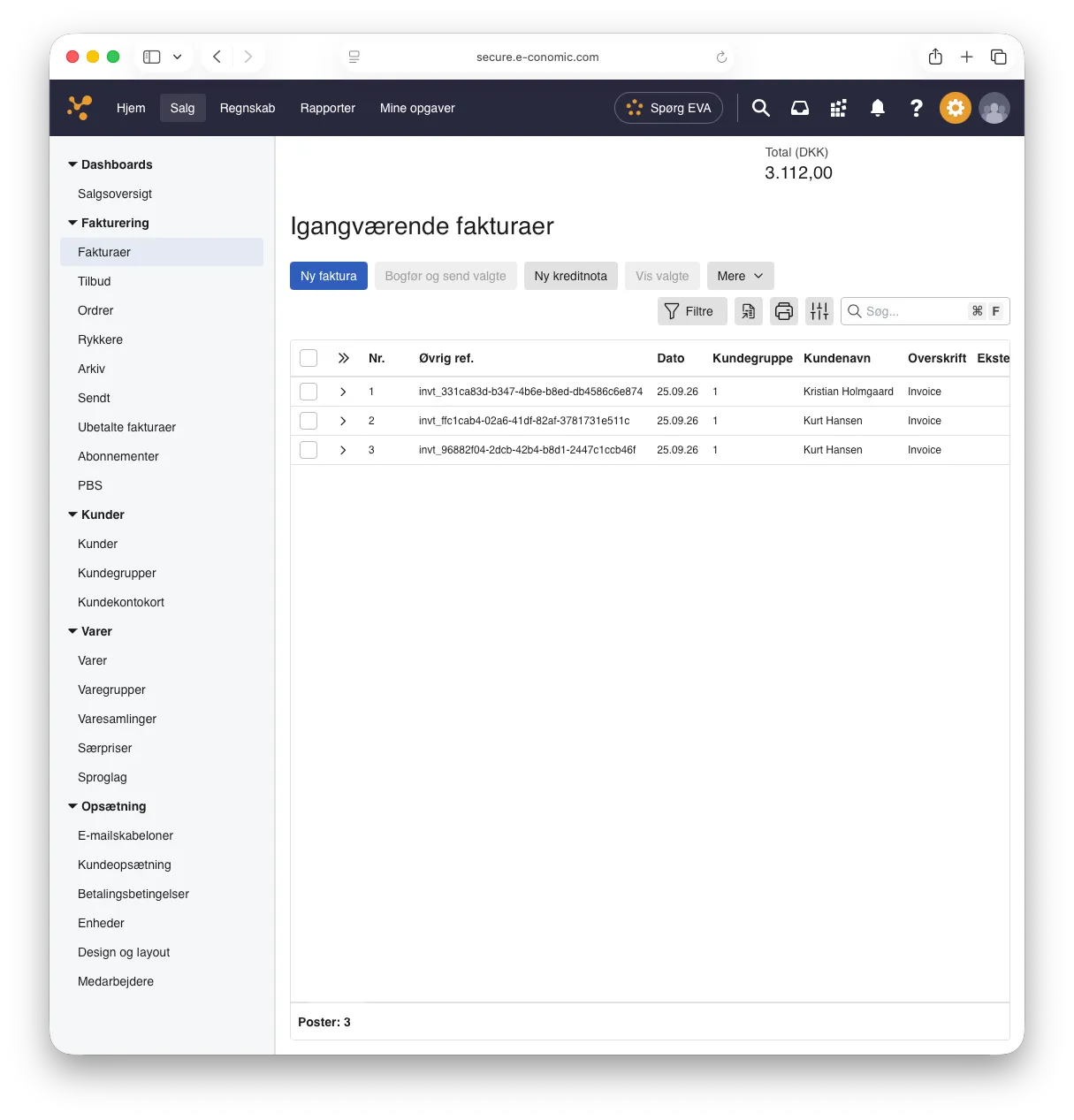
Use the customer details, services and prices you have already recorded in CleanTracker.
Cleaning and window cleaning can appear as separate invoice lines with their own descriptions and prices, even when they use the same e-conomic product.
Review the work and amounts in CleanTracker, then continue invoicing and accounting in e-conomic.
Built for small cleaning companies that want to bring scheduling and invoicing together.
Go to Settings → Integrations in CleanTracker, connect e-conomic, then select and save a standard product for invoicing. First, make sure a default customer group, default payment terms and at least one active product are ready in e-conomic. The guide walks you through the complete setup.
Read the setup guide