From completed work to invoice: CleanTracker now integrates with e-conomic
CleanTracker can now create draft invoices directly in e-conomic. Customer details, services, quantities and prices are carried over from the work you already manage in CleanTracker.
Once the work is done, you shouldn’t have to enter the same information again just to create an invoice.
The customer is already in CleanTracker, along with the job, visits, services and prices. CleanTracker can now connect to e-conomic and use those details when it’s time to invoice the work.
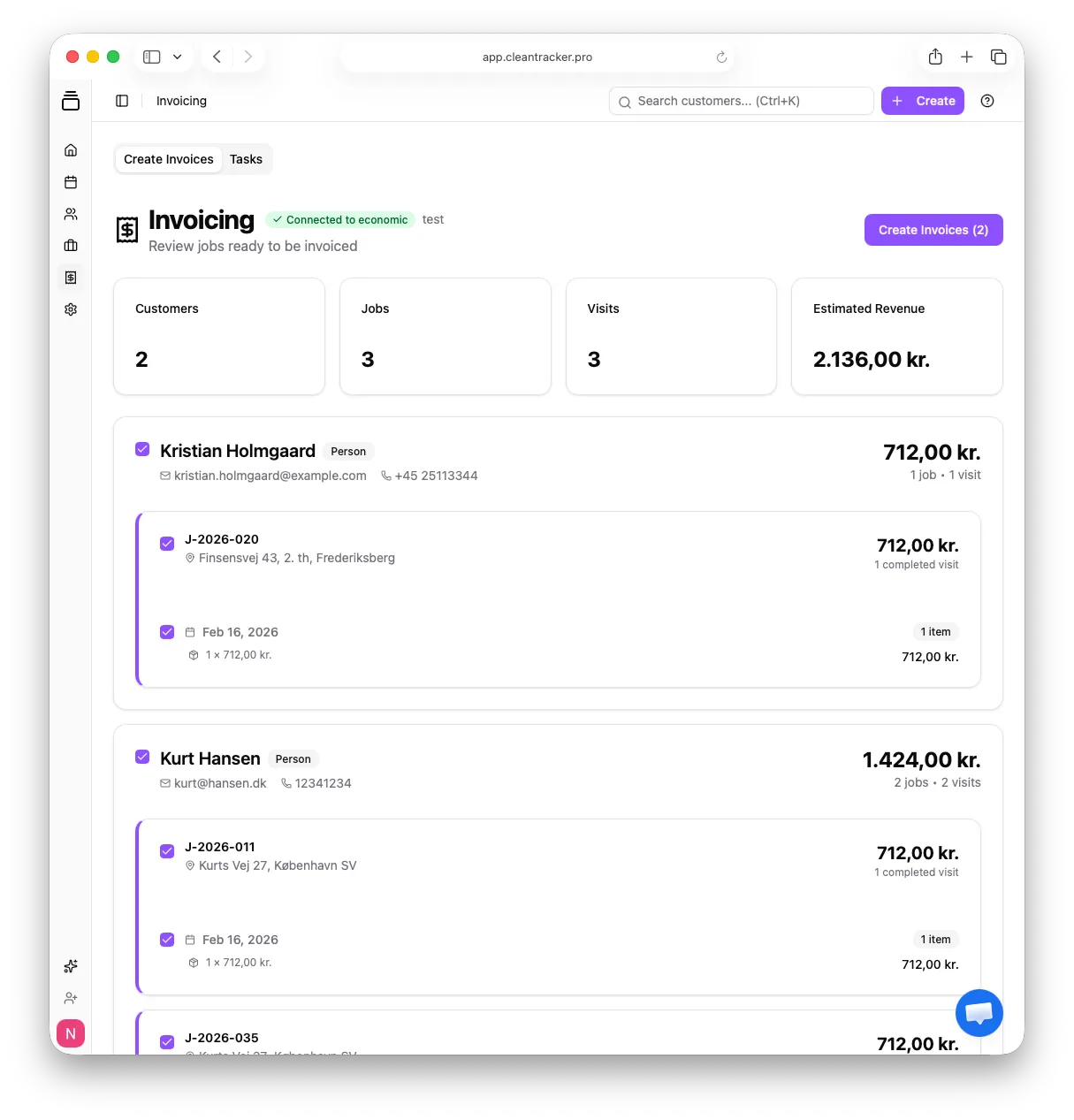
From planning to invoicing
Planning work in CleanTracker also brings together much of what an invoice needs: the customer, job, visits, services, quantities and prices.
The e-conomic integration carries that information from your daily operations into invoicing. There’s no need to start again by entering the customer and invoice lines in another system.
How the integration works
- Go to Settings → Integrations and choose Connect to e-conomic to connect your e-conomic agreement.
- Choose a product under Standard product for invoicing and click Save product.
- Keep planning and recording work in CleanTracker as usual.
- When the work is ready to invoice, review and select it under Invoicing, then click Create Invoices.
- CleanTracker transfers the customer details and invoice lines, initially creating a draft invoice in e-conomic.
If your organization’s invoicing settings have automatic booking enabled, the draft is then booked automatically. Otherwise, it stays as a draft in e-conomic.
When CleanTracker finds an existing customer in e-conomic, it uses that customer. If no customer is found, CleanTracker can create one using the default customer group and payment terms you’ve configured in e-conomic.
Your services carry over
You don’t need a separate e-conomic product for every service in CleanTracker. Standard cleaning, window cleaning and oven cleaning can still appear as separate invoice lines, each with its own description, quantity and price. The selected e-conomic product determines the accounting treatment.
For example, take two services, each with a quantity of 1 and prices excluding VAT:
- In CleanTracker: Standard cleaning, 1 × DKK 712, and window cleaning, 1 × DKK 300.
- In the e-conomic draft invoice: One line for standard cleaning at DKK 712 and another for window cleaning at DKK 300, each with a quantity of 1.
The descriptions, quantities and prices carry over even though both lines use the same e-conomic product. This is an illustrative example, not a particular customer’s invoice.
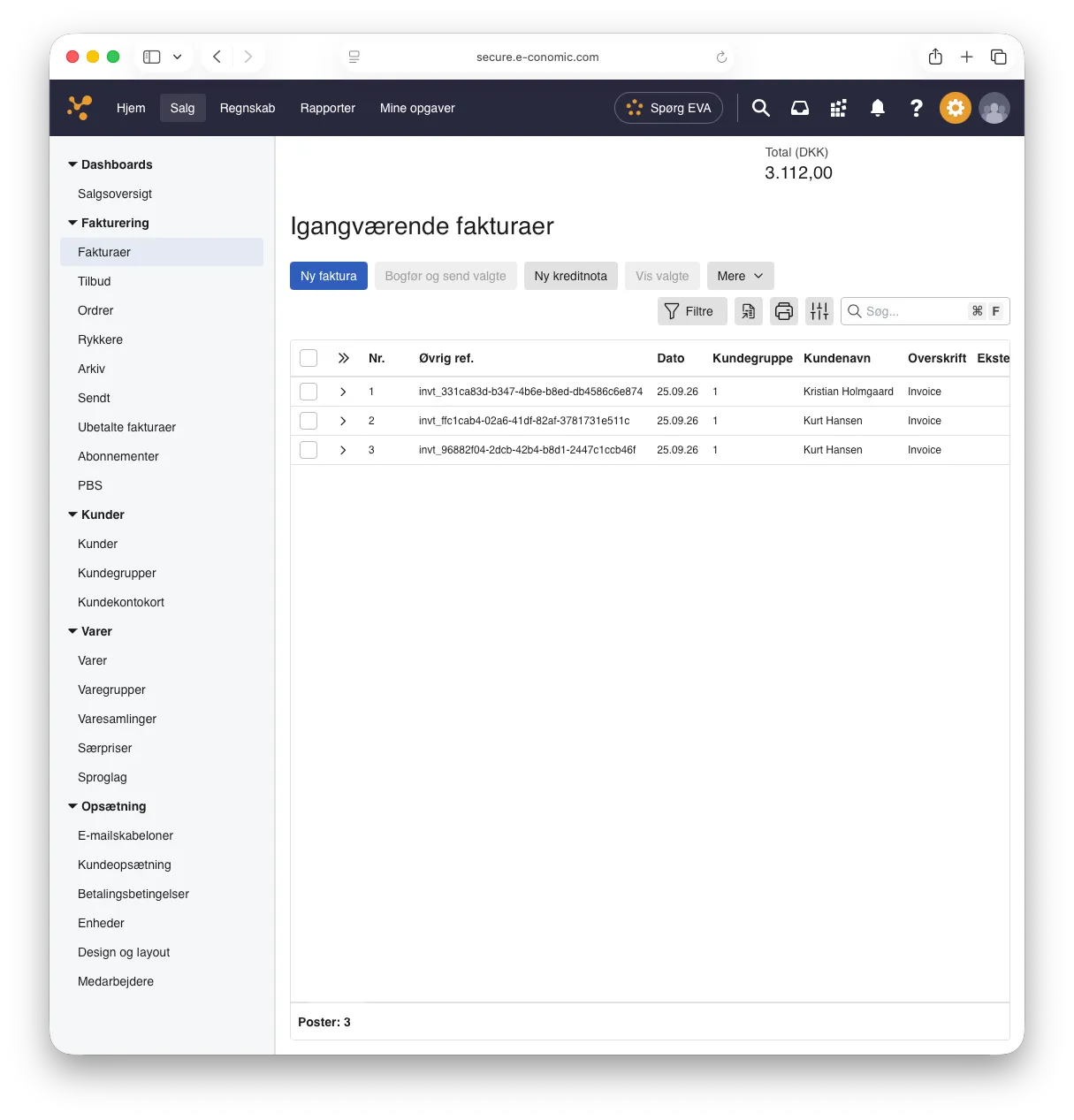
Less duplicate admin
When the customer, job, visits and prices are already in CleanTracker, invoicing shouldn’t begin with entering them all again. For a cleaning company or another field service business, that’s less admin between finishing the work and preparing the invoice.
CleanTracker manages the work and the information behind the invoice. e-conomic remains your system for the rest of the invoicing and accounting workflow. The integration connects the two.
Getting started
Before connecting e-conomic, you’ll need a default customer group, default payment terms and at least one active product for invoicing.
Our setup guide walks through the complete process: Read the e-conomic integration guide.
Ready to try it?
If you already use CleanTracker and e-conomic, connect the integration from Settings → Integrations.
If you’re new to CleanTracker, you can start for free.